Deinstallation of Windows Update KB5089549 or KB5094126 and Pausing Updates for 5 weeks
(17-June-2026) Two Security Update for Windows 11 (KB5089549 and KB5094126) may cause problems with the PeriData app. We recommend not to install it. Our team is intensively working on a solution. Kernel parts of our app are reconstructed. Until our new app version is released, the update automatism should pause. If the Windows updates were already installed and problems occur, we recommend to uninstall this update
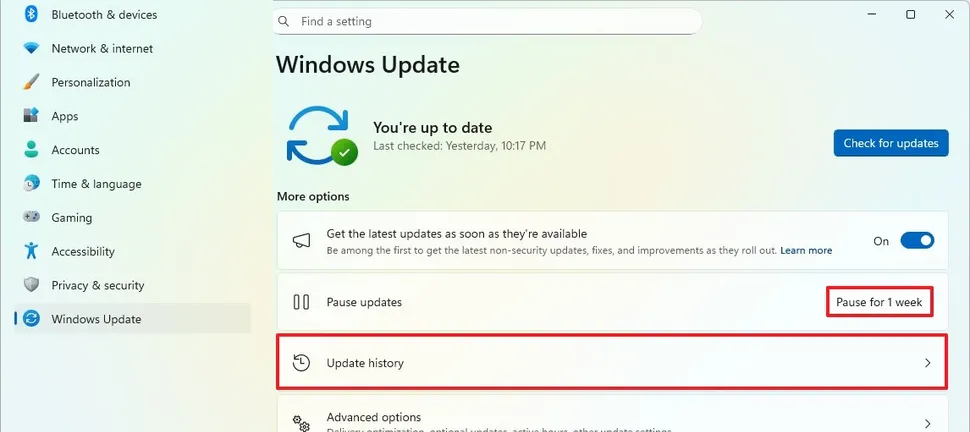
Always first: 1. Call the Windows update page. Define "pause updates" for 5 weeks (maximum). Revisit our website in 4 weeks for new information about this problem.
After that: 2. Deinstall the update KB5089549 or KB5094126. These are the steps:
Click on Update history
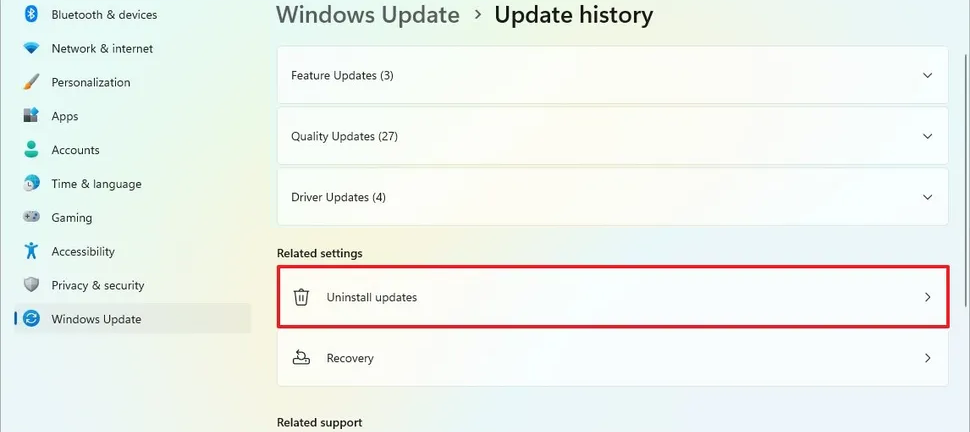
Click on Uninstall updates
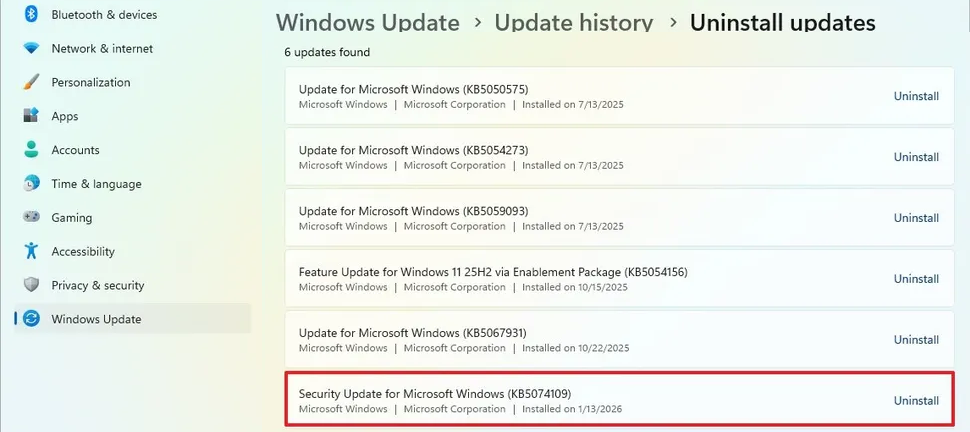
Here you will see the Security Update KB5089549 or KB5094126. Click on Uninstall. The uninstall procedure will run and the PC is restarted (duration 10 to 20 minutes)
If PeriData is not running well after that, it may be, that Windows reinstalled the other problematic update. If so, the second update has to be deinstalled as well (it is not possible to deinstalle both updates at one time)